 Notch
NotchDIY File and Printer Cabinet
Step-by-step build — 6 steps. Also available as a print sheet.
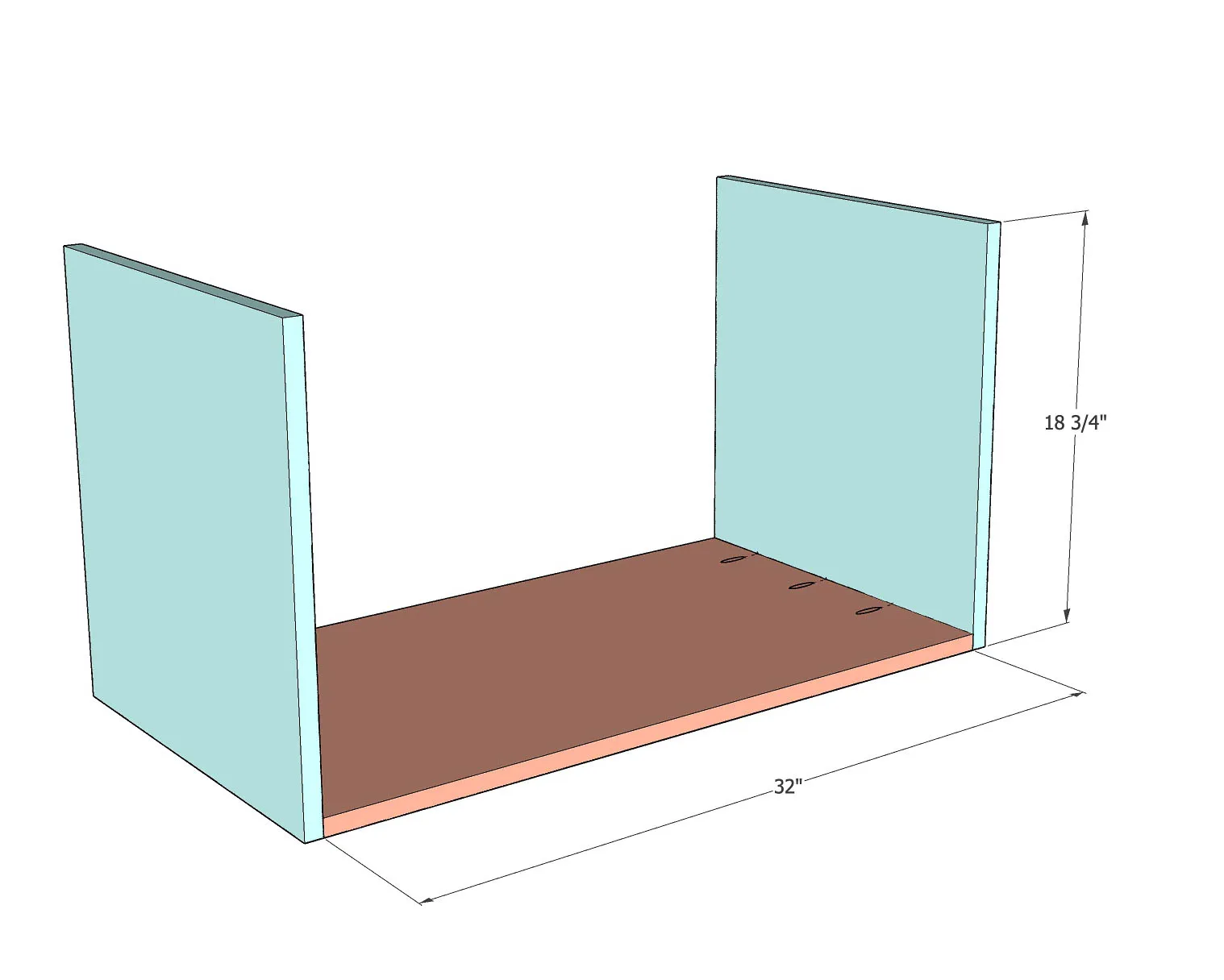
1Attach Top and Bottom
Attach the top and bottom to the side plywood using wood glue and pocket hole screws. The pocket hole screws are on the inside. Use 1-1/4" pocket hole screws.
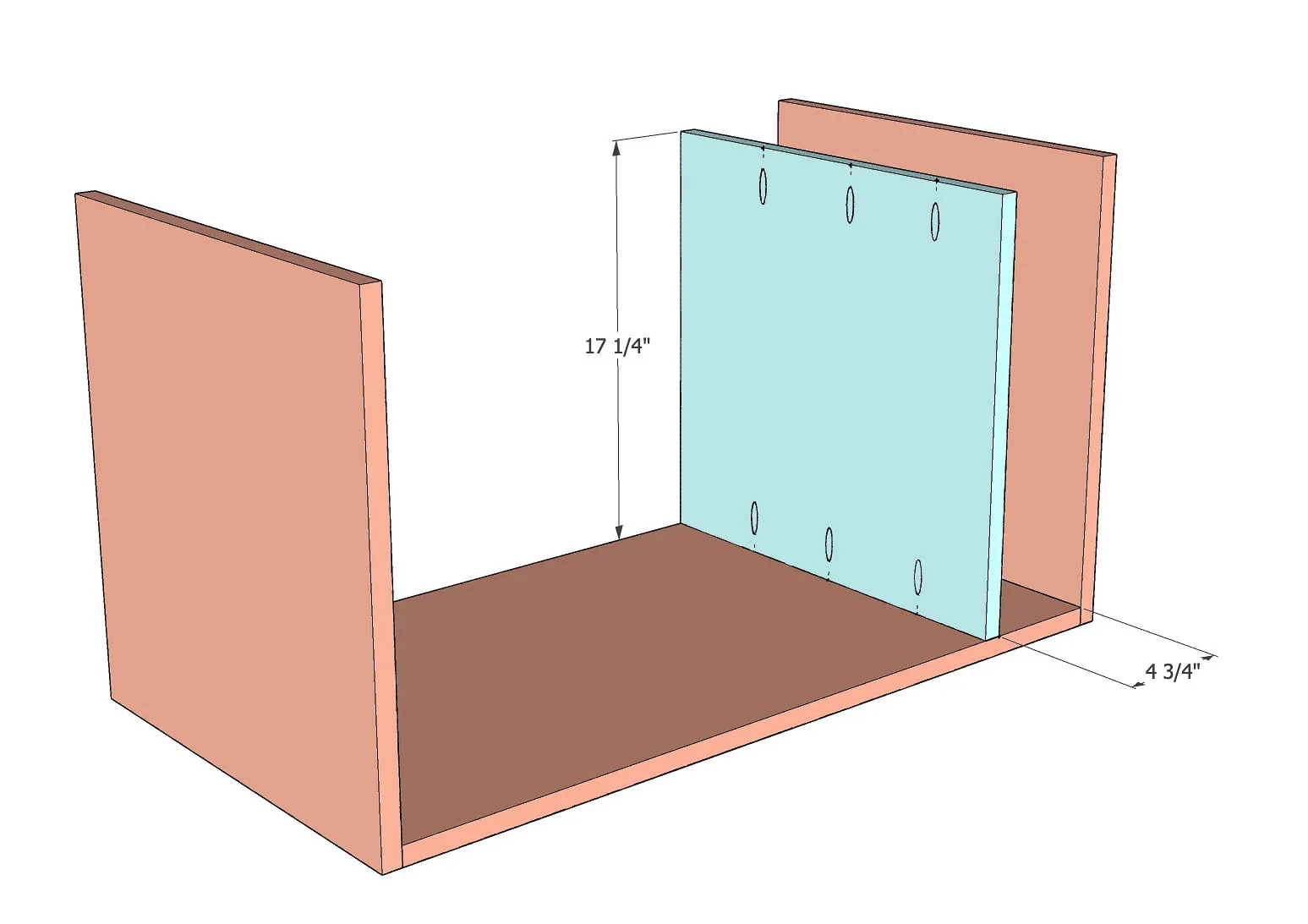
2Attach shelf
Attach the shelf as shown using wood glue and 1-1/4" pocket hole screws. You can clamp a scrap 2x4 board to help keep the shelf aligned as you attach it.
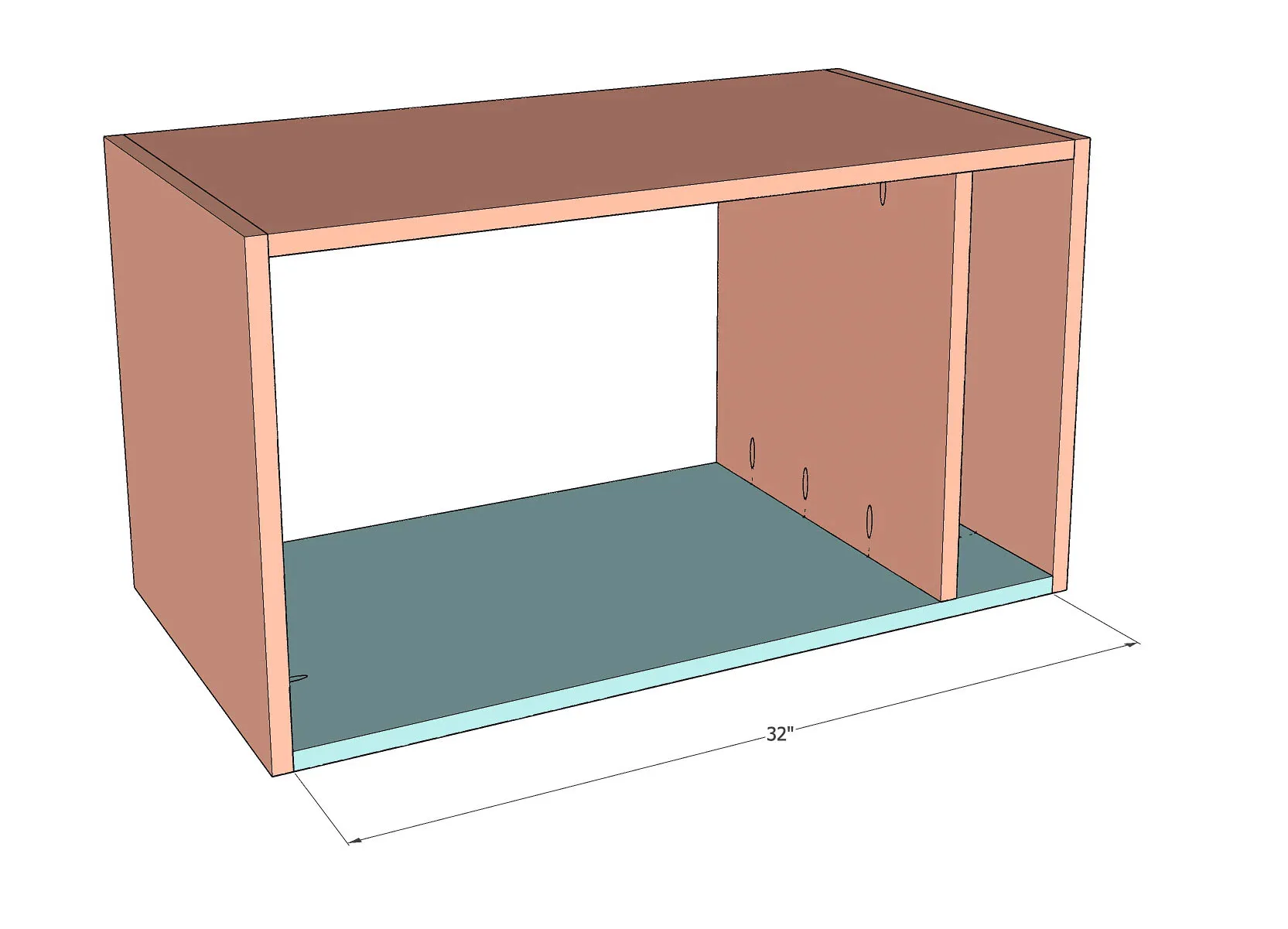
3Complete the cabinet
Attach the remaining side using pocket hole screws and wood glue to complete the cabinet.
4Build and install the drawers
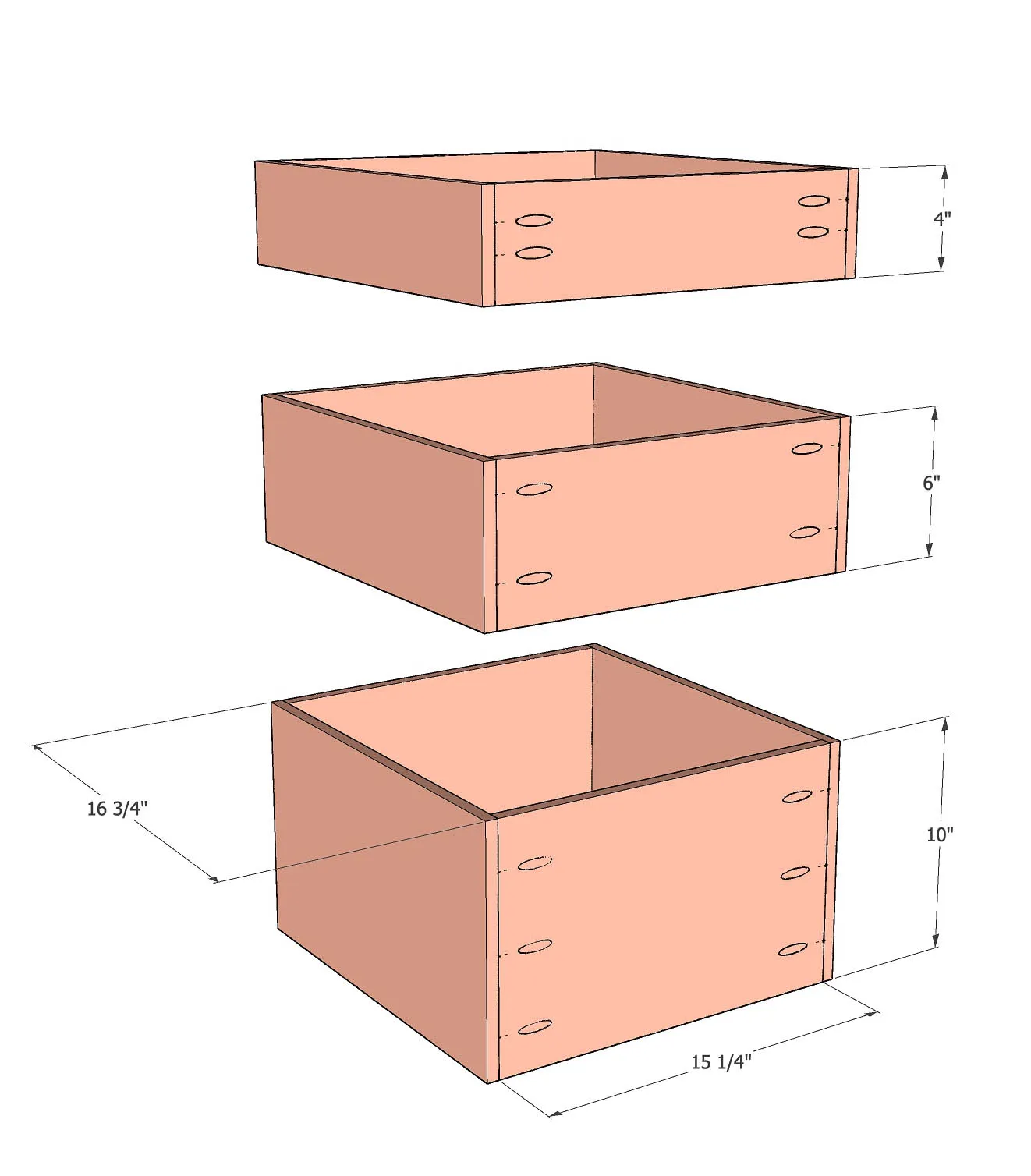
Build the three drawers using pocket hole screws and wood glue. Since we are using 1/2" plywood, we use 1" screws. There are three drawers with the exact same depth and width but different heights. Install the drawers into the cabinet built above using drawer slides. Full extension ball bearing drawer slides are highly recommended.
5Install the drawer fronts
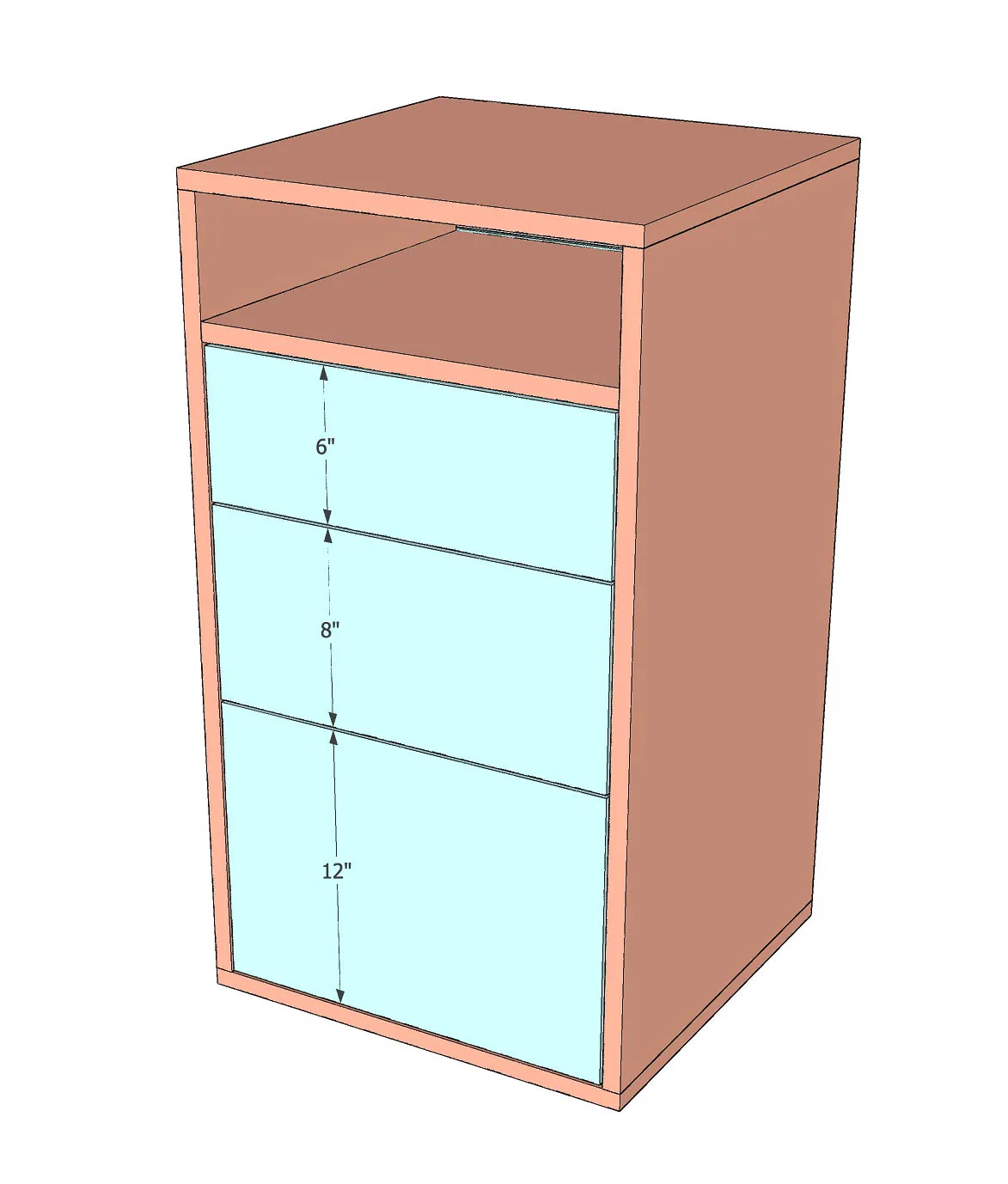
Attach drawer fronts to the drawers. These are inset drawers. You can use the Hardware jig to attach drawer hardware.
6Finishing touches
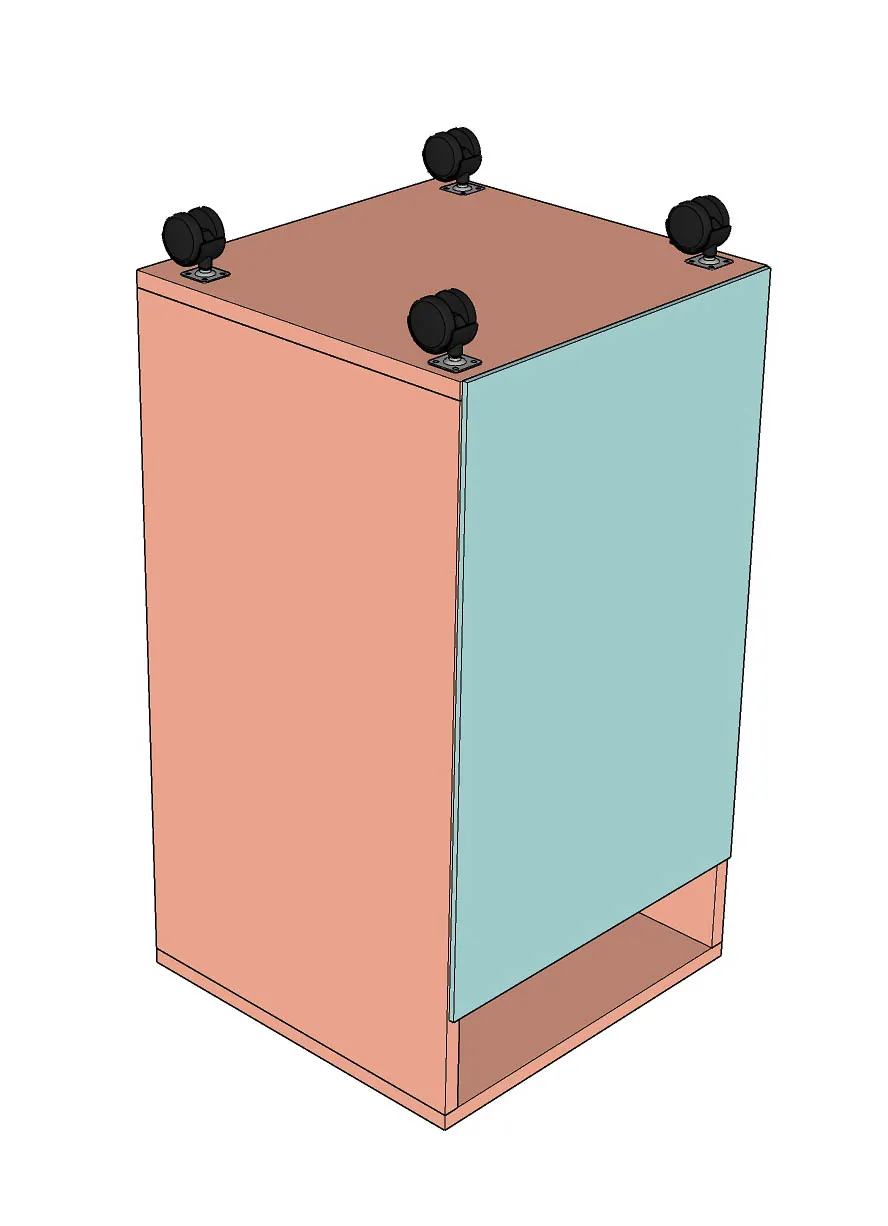
- Add a 1/4" plywood to the back of the cabinet. The plywood is cut 1/8" smaller on all sides so the edges aren't visible. Install casters or stationary feet as desired.
- Add hanging file rails on the sides of the bottom drawer.