 Notch
NotchPlans you can actually compare.
Every plan carries the same structured detail — a full cut list, a material list, the tools you need, and a cost band. Decide before you drive to the lumberyard.
Design edge- and end-grain cutting boards with a live 3D preview.
Free — no ads, no affiliate links · Installs to your phone, works offline
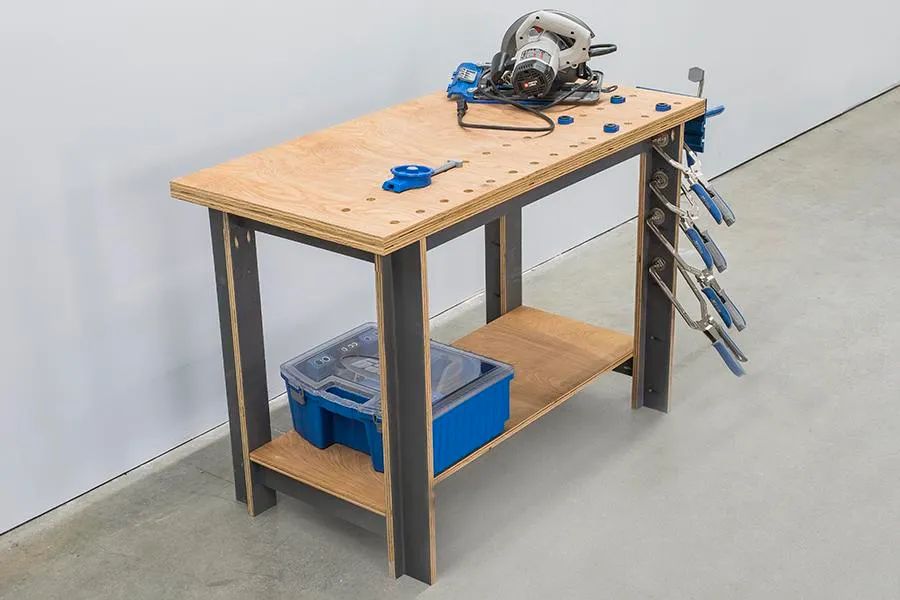
One-Sheet Workbench
| Leg ×4 | 3/4" × 3" × 28" |
| Front/Back Rail ×2 | 3/4" × 3" × 42" |
| End Rail ×4 | 3/4" × 3" × 16" |
| Shelf Support ×1 | 3/4" × 3" × 38" |
Buy 8 boards at 8 ft — kerf included.
- 610 plans
- Free — no ads, no affiliate links
- Installs to your phone, works offline
- Cut lists in tape-measure fractions
- A board-buying plan on every project
Not a photo and a paragraph. The whole thing.
Every plan is fully specified — so you can see exactly what to cut, what to buy, and whether you can build it with the tools you own.
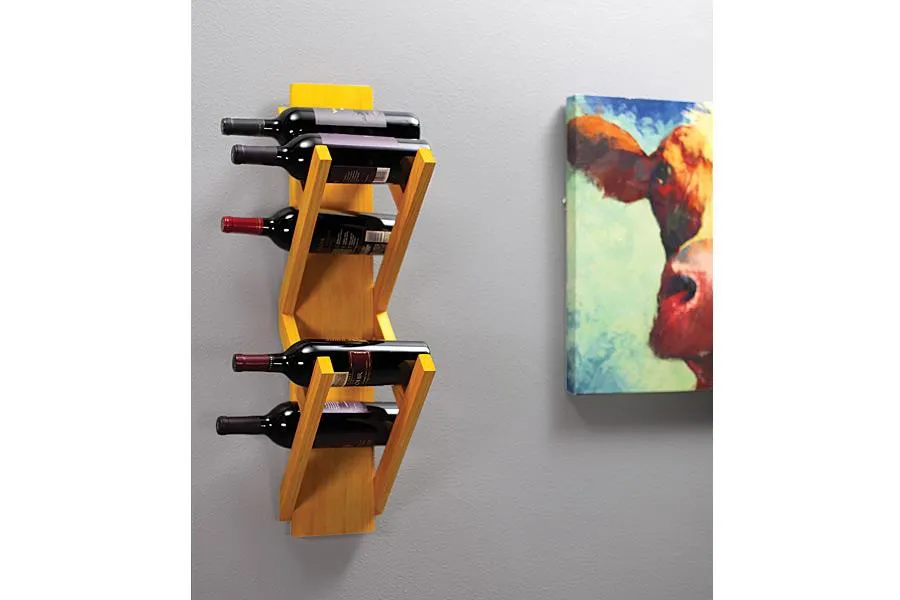
Wall-Mounted Wine Rack
| Back ×1 | 3/4" × 5" × 30" |
| Long Brace ×4 | 3/4" × 1" × 14" |
| Short Brace ×2 | 3/4" × 1" × 7" |
| Angled Brace ×2 | 3/4" × 1" × 9" |
Buy 3 boards at 8 ft — kerf included.
Structured, every time
Difficulty, real shop time, tools (and which are optional), a full material list — so two plans compare directly.
A buying plan, not just a cut list
How many boards of what size to actually put in the truck — kerf and ripping accounted for.
Fractions, not decimals
3/4", 13/16" — the numbers your tape measure actually shows.
Own the tools?
Tick yours once and the catalog hides anything you can't build.
What sets it apart
Every claim here is something the app does today.
A board-buying plan
The cut-list optimizer turns a plan's parts into how many boards of what size to buy — accounting for saw kerf and ripping narrow parts from wider stock.
Filter by tools you own
Tick your tools once and see only the plans you can actually build — essential tools only.
Honest cost bands
Compare by a $–$$$$$ band, not a made-up dollar figure that moves with region and season.
Built for the shop
Installs to your phone, works offline, and prints clean in tape-measure fractions.
One shopping list
Add materials across the plans you're building into a single consolidated list.
Learning paths
Ordered project sequences that build skill — each chosen to teach what the next one assumes you know.
Find it, buy for it, build it
- 1
Find a plan
Search or filter by category, difficulty, cost, time, and the tools you own.
- 2
Get the buying plan
See exactly which boards to buy and add materials to one shopping list.
- 3
Build it
Follow the steps on your phone — offline, or printed in tape-measure fractions.
Start with something buildable
Straight from the catalog’s Trending order — real plans, each fully specified.
 Shop Projects
One-Sheet Workbench
Creating a sturdy workbench has never been easier or more economical.
- Easy
- $$
- 5–9.5 hrs
 Gifts & Small Projects
Wall-Mounted Wine Rack
Keep a few of your favorite bottles of wine on hand with this wall-mounted wine rack.
- Easy
- $$
- 2.5–4.8 hrs
 Gifts & Small Projects
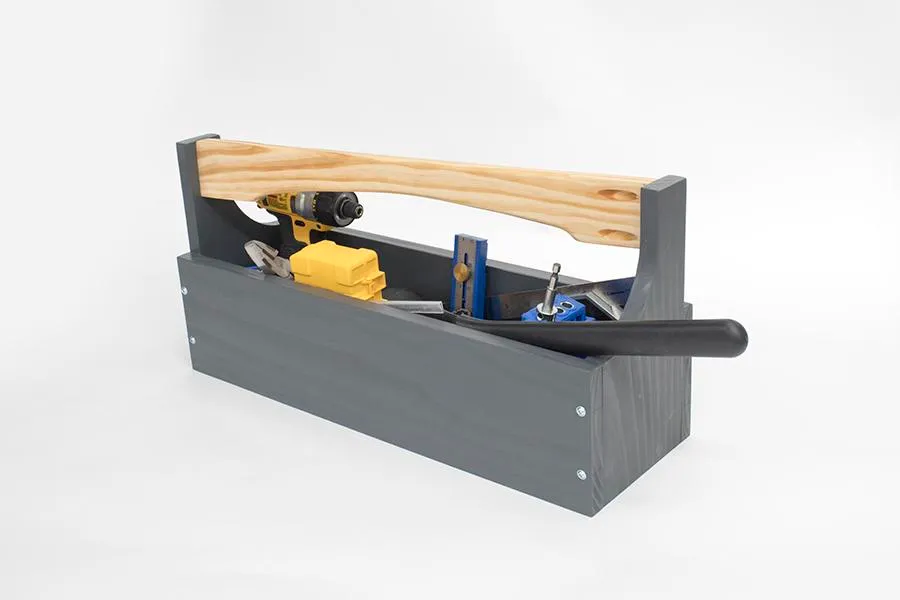
Traditional Toolbox
There still may be no better way to tote small tools than with a traditional toolbox.
- Easy
- $
- 2.8–5 hrs
 Shop Projects
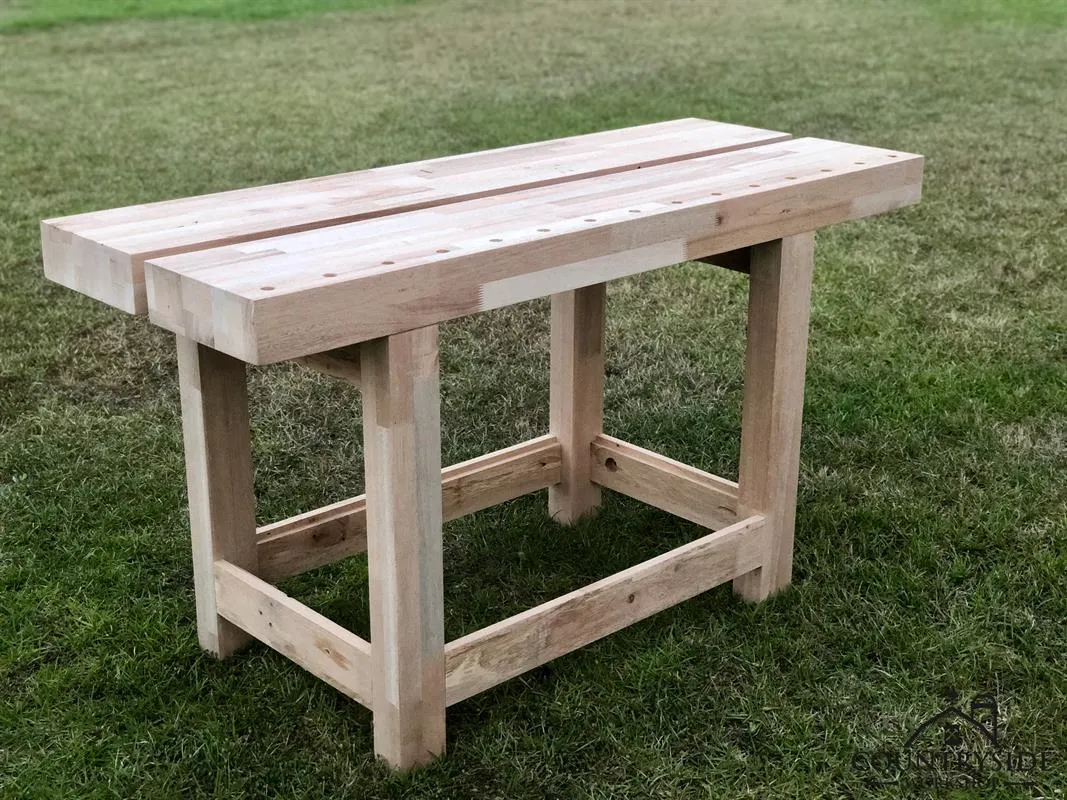
Simplified Split Top Roubo Workbench
Roubo workbenches are based off an 18th century french design from a craftsman named André Jacob Roubo.
- Intermediate
- $$$
- 4–7.8 hrs
 Storage & Shelving
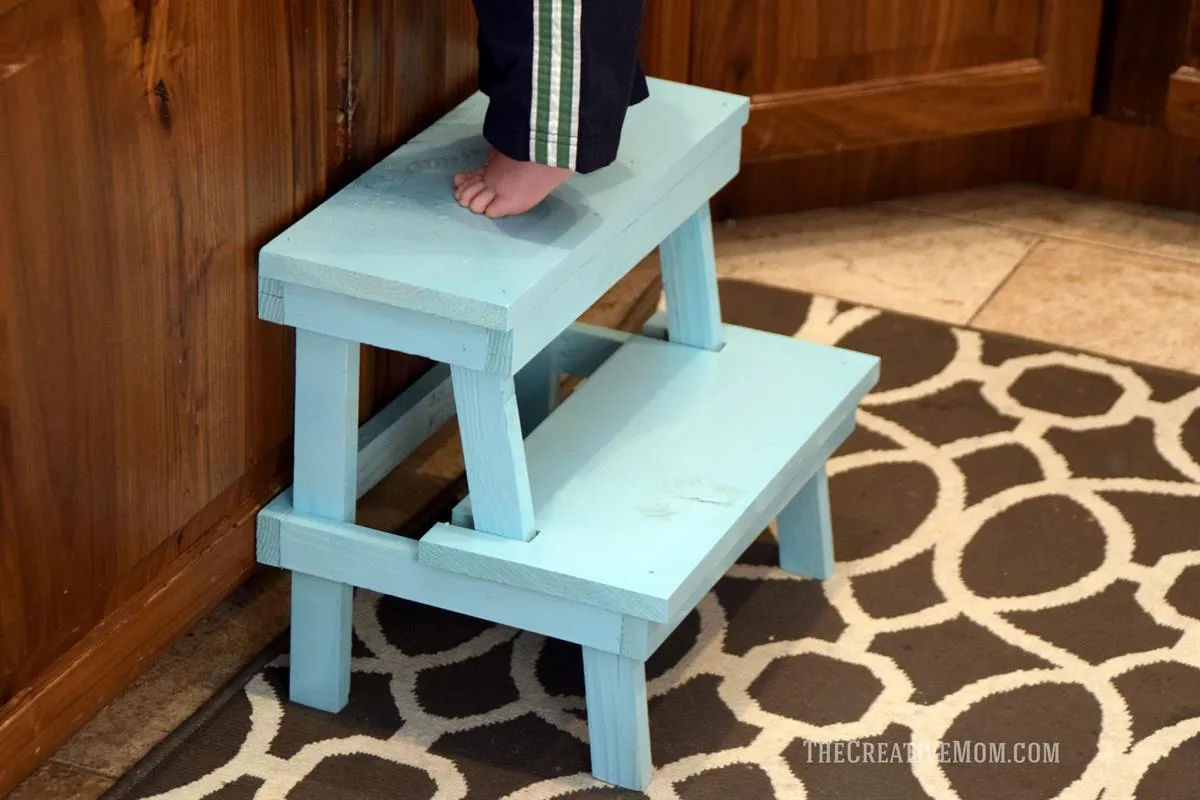
Simple Stepstool
This simple stepstool is a quick and easy build.
- Easy
- $$
- 3–6 hrs
 Furniture
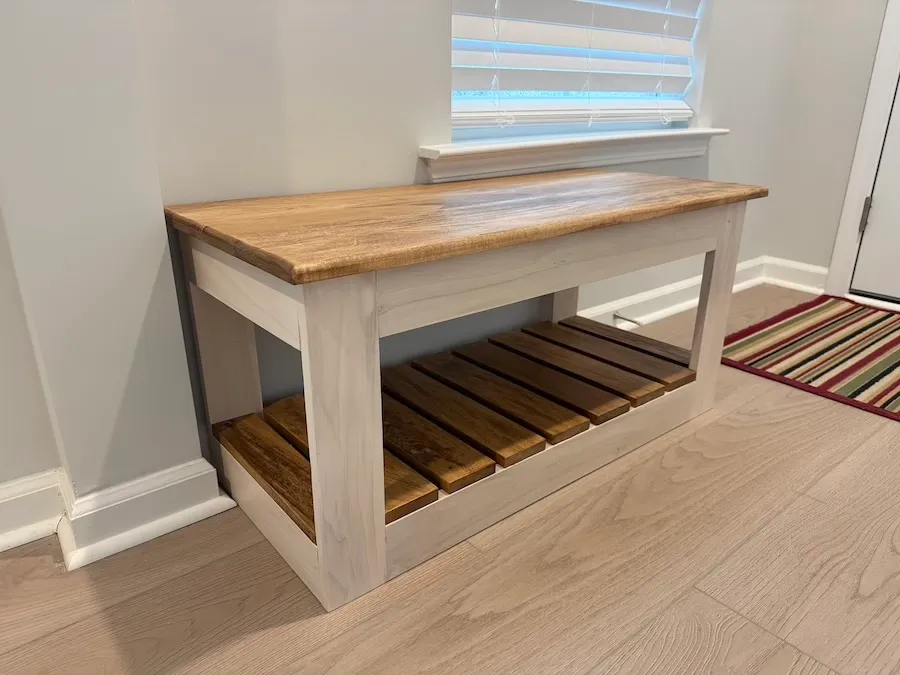
Shoe bench with storage and seat
Looking for a place to sit and put on your shoes?
- Easy
- $$
- 3.3–6.5 hrs
 Gifts & Small Projects
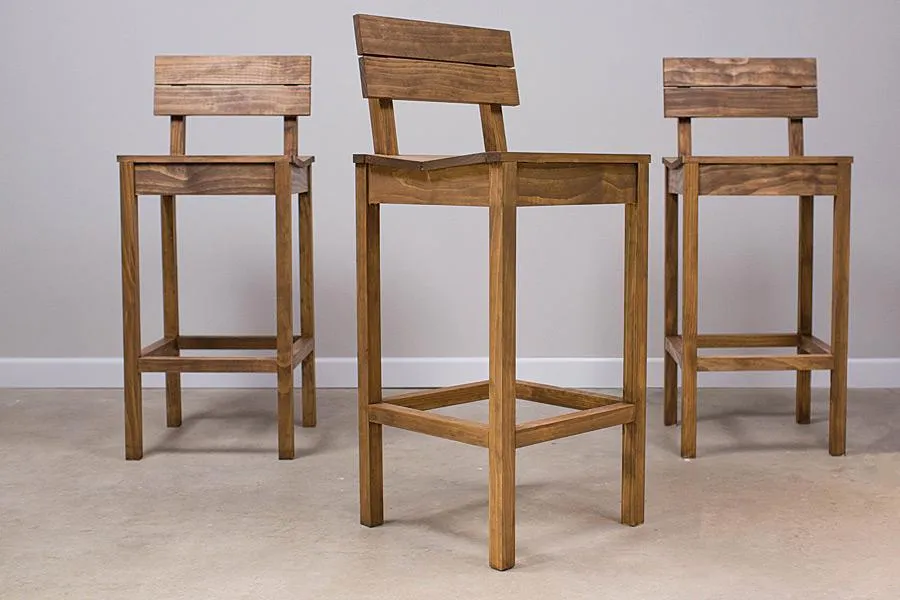
Pub Chairs
These tall pub chairs look great, whether you have them sitting at a counter or pair them with a pub table (which we’ll show you in another project plan).
- Intermediate
- $$
- 4.8–9.3 hrs
 Furniture
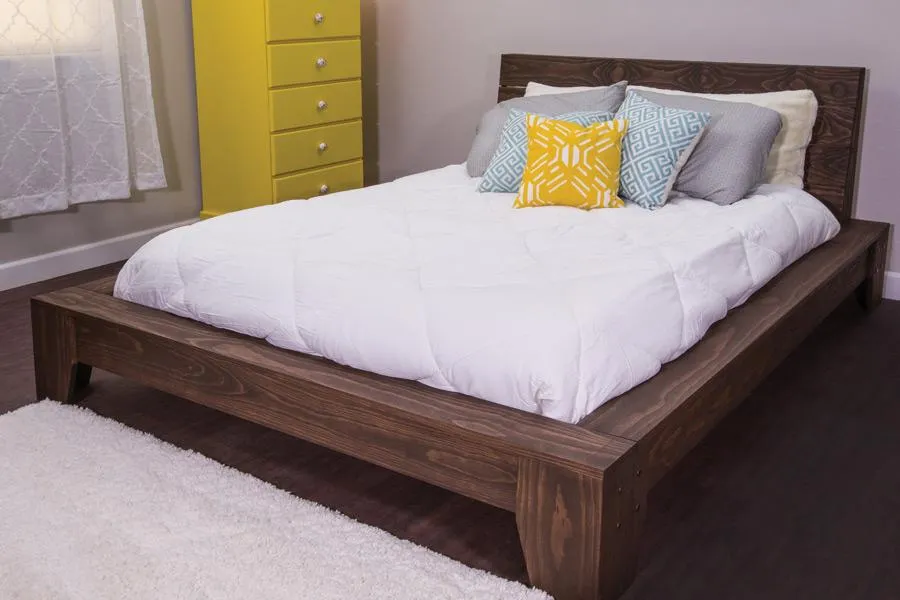
Platform Bed
Build yourself this beautiful platform bed and you’re sure to have sweet dreams.
- Intermediate
- $$$
- 7–13.5 hrs
For the “what can I build this weekend?” woodworker.
You’ve got a Saturday, a pile of 2×4s, and a tape measure. You don’t want a PDF with the cut list buried on page 7 — you want to know what to build and what to buy. That’s the whole idea.
- Save plans and roll materials into one shopping list.
- Log your builds and leave a review with photos.
- Free, and it works with one bar of signal in the shop.
Quick answers
Is it free?
Yes — free to browse and use, with no ads and no affiliate links.
Do I need an account?
No account to browse. One's only needed to save plans, build a shopping list, or log a build.
Does it work offline?
Yes — install it to your phone and your saved plans, cut lists, and shopping list work with no signal.
Built naturally. Made to last.
Find your next project.
610 plans, each fully specified. Free to browse — no account required.
Browse the plans →