 Notch
Notch- Difficulty
- Intermediate
- Time
- 4.8–9 hours
- Cost
- $$
About this build
Decorate your home this Christmas with an easy DIY! This light up Christmas display art is so easy to customize so you can create any scene that you wish. The plan provides a template for this particular tree design so that this artwork can last all winter long, even after Christmas is over!
Tools
Essential
- Circular Saw
- Drill / Driver
- Jigsaw
- Miter Saw
- Pocket Hole Jig
- Random Orbit Sander
Optional / nice to have
- Tape Measure
Materials
| Item | Qty |
|---|---|
| Board, 1x4 96" | 1 board |
| Plywood, 3/4" Thick Quarter Sheet | 1 board |
| 20 light battery light pack | 2 each |
| 1 1/4" pocket hole screws | 20 each |
Overall cost: $$. Lumber prices vary by region, species, and season, so we give a band rather than a figure we would only be pretending to know.
Cut list
| Part | Qty | T × W × L |
|---|---|---|
| Backdrop | 1 | 3/4" × 14" × 16" |
| Back Tree Scene | 1 | 3/4" × 12" × 16" |
| Front Tree Scene | 1 | 3/4" × 10" × 16" |
| Top and Bottom Frame Pieces | 2 | 3/4" × 3" × 16" |
| Side Frame Pieces | 2 | 3/4" × 3" × 15" |
What to buy
Buy 4 boards at 8 ft.
3/4" × 14"
1 board
3/4" × 12"
1 board
3/4" × 10"
1 board
3/4" × 3"
1 board
Assumes 8 ft stock, a 1/8" saw kerf, and buying each part at its own width. Change the board size or kerf on the full board plan →
Instructions
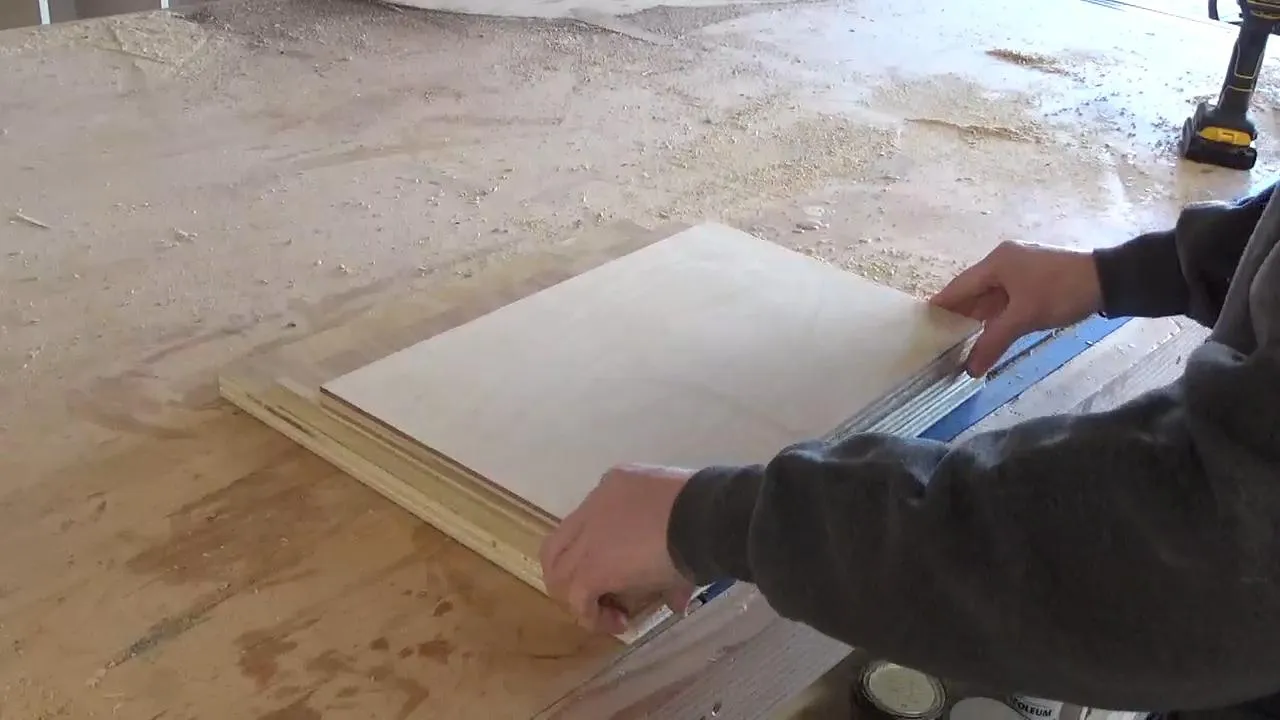
1Gather Materials
This project is SUPER easy to customize. I made mine with a tree scene, but the possibilities are endless. And so are the size options. I dug around in my scrap wood pile to find some pieces of ¾” plywood that would work for this and I’ve listed the sizes I used in the cut list. However, you may want a different design and that may use some different sizes of plywood. So this isn’t set in stone. Either way, gather some scrap plywood OR cut the sizes you wish from a ¼ sheet of ¾” plywood if you don’t have any scraps.
2Paint the Backdrop
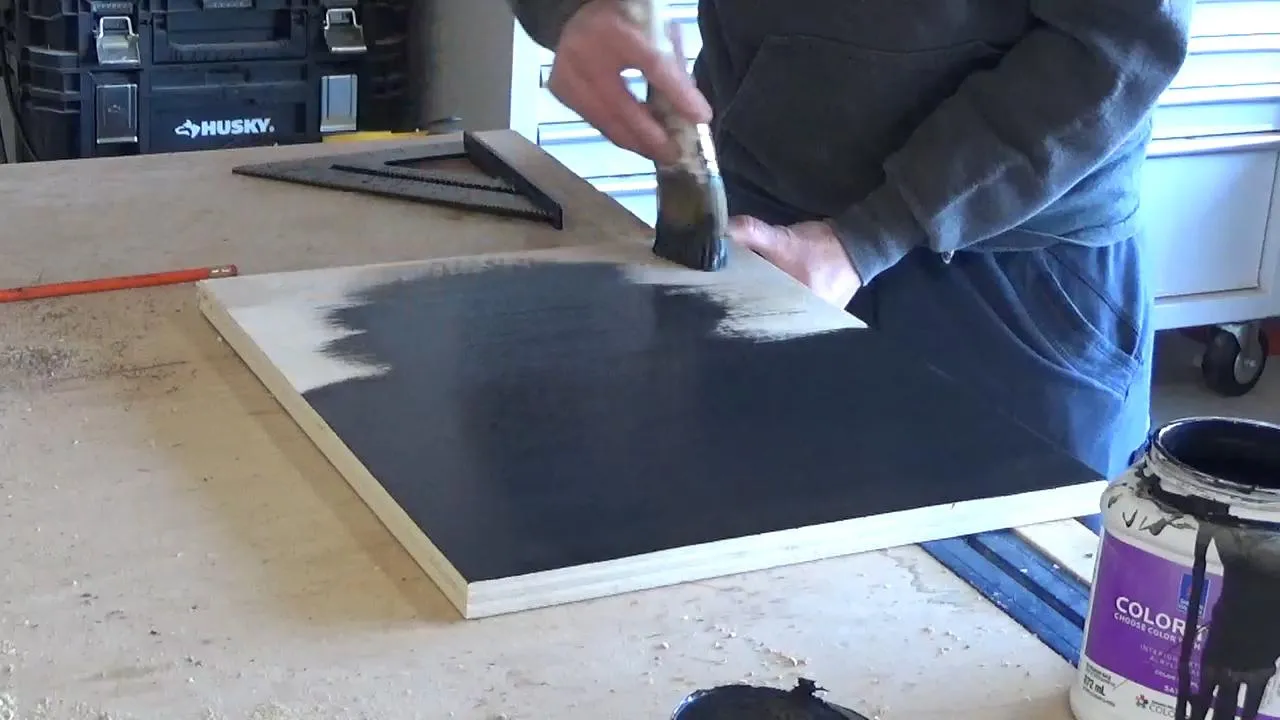
In my project, I used a ¾” piece of plywood about 14” tall and 16 ½” wide for the backdrop of the scene. I went ahead and painted this how I wanted my background to look. I did a navy and white ombre effect so that it would look like the night sky, but you can paint however you wish.
3Cut Middle Scene Piece
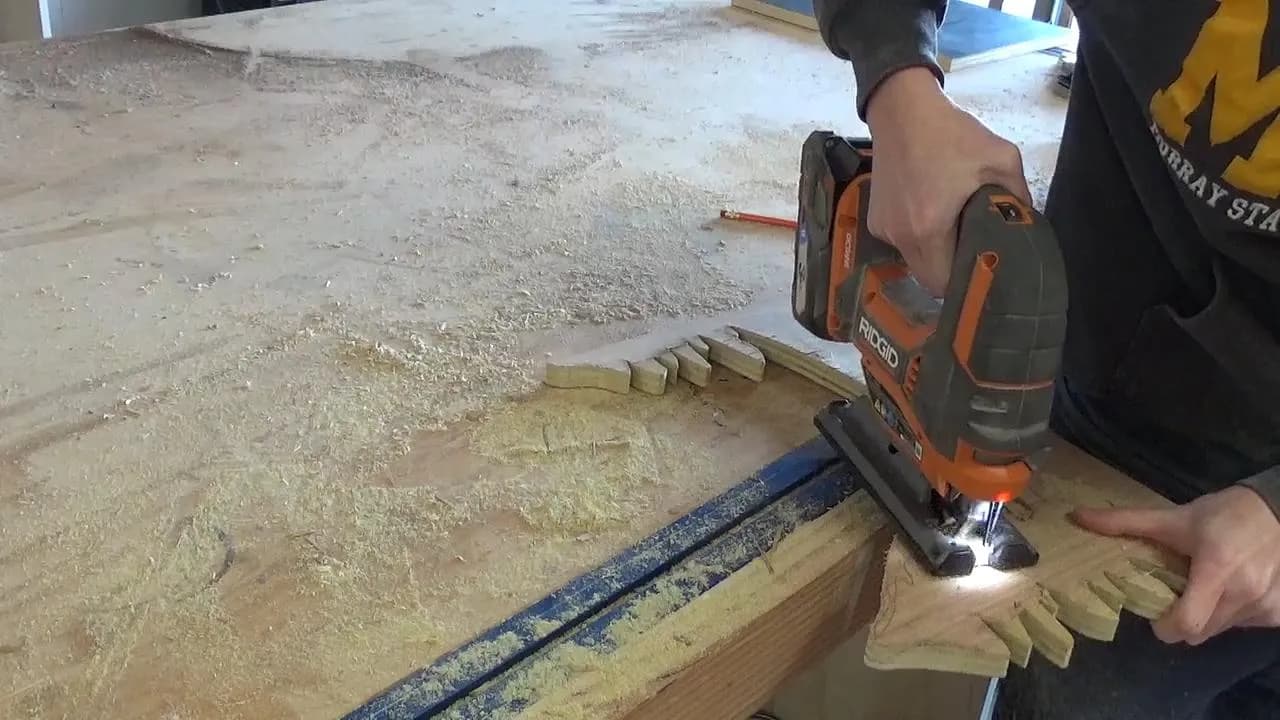
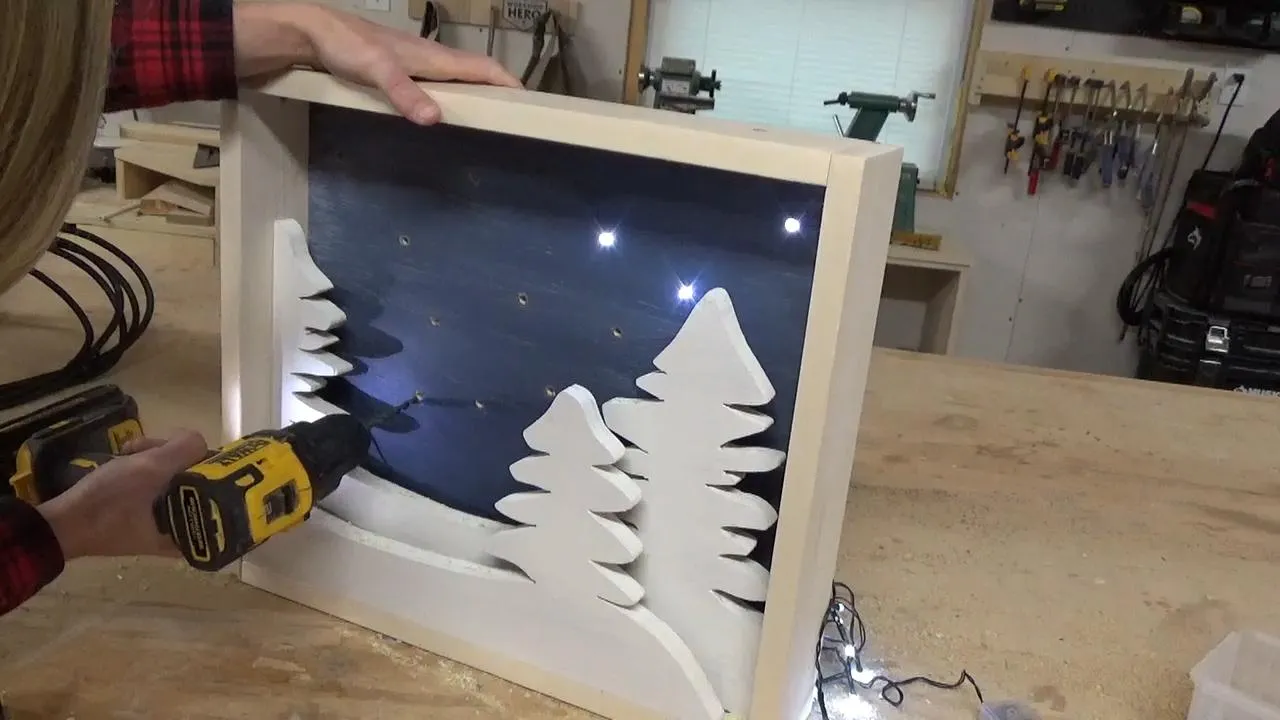
While the paint dries, grab your two other pieces of plywood and begin drawing the scene you’d like to make for your piece. I’ve provided a template for exactly what I did in the extras tab if you want to do trees like mine. Or, feel free to freehand your own design as desired. Draw the middle scene first and cut out the design with a jig saw (or scroll saw if you’d rather). Sand any rough edges smooth.
4Cut Front Scene Piece
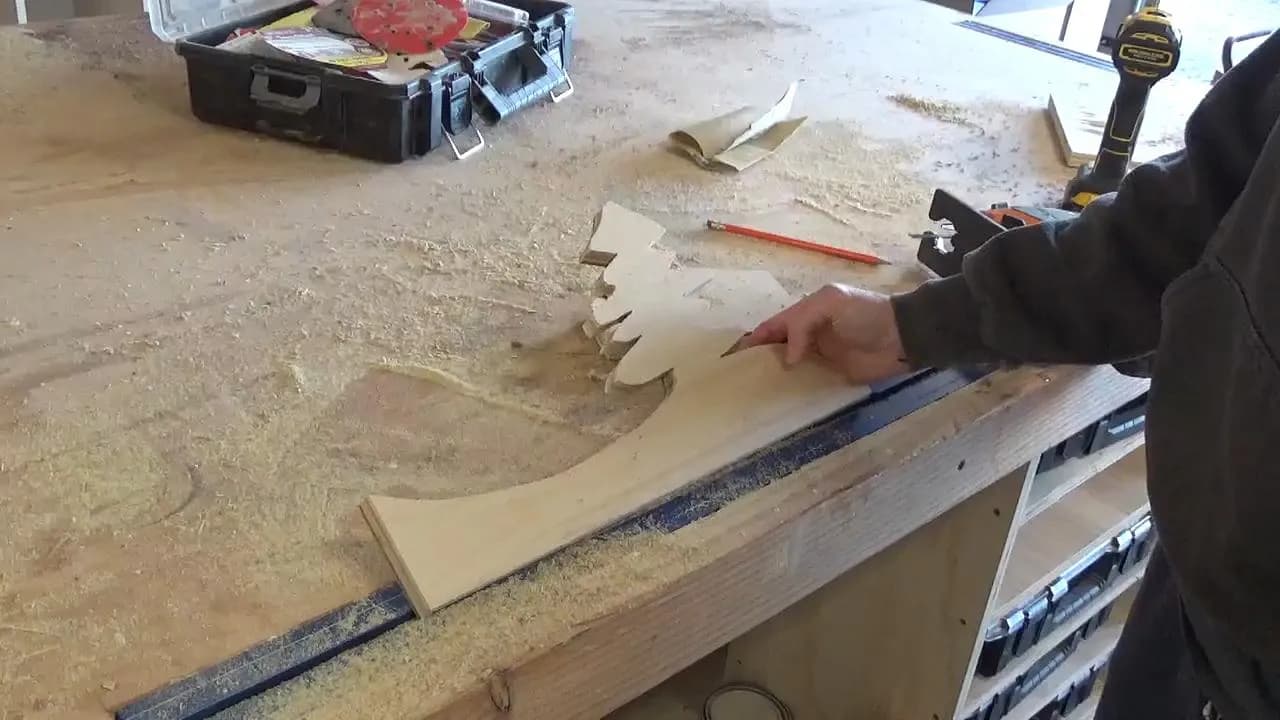
- Now, either using the provided template OR your own design, draw out the scene you want for the front onto the remaining piece of plywood. Make sure to make this design slightly smaller than your piece from step 3 so that it doesn’t hide it too much when you put it all together.
- Cut out with a jig or scroll saw and sand the edges smooth.
5Cut Frame Pieces
Cut to fit pieces of 1x4 to fit around the sides of your background piece according to the cut list to create kind of like a shadow bow. Drill ¾” pocket holes into the ends of the 16 ½” pieces.
6Assemble the Frame
Attach one bottom and two side pieces like shown using 1 ¼” pocket hole screws. You will attach the top piece later.
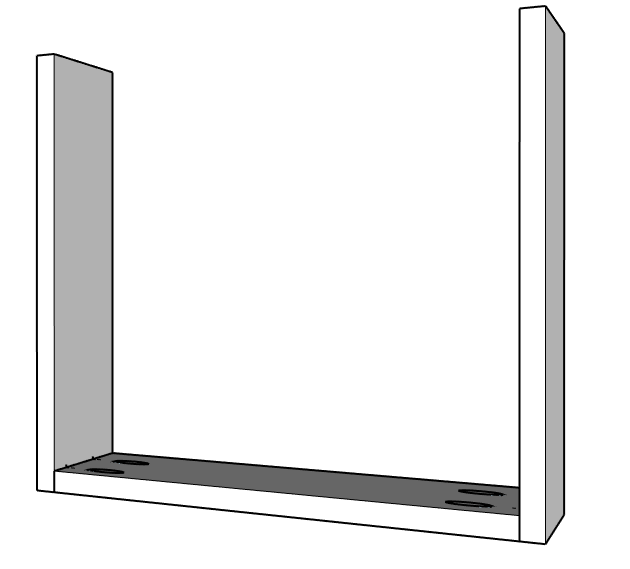
7Install Scene Pieces
- Paint your scene pieces and frame as desired before attaching them together.
- Then, drill ¾” pocket holes along the back sides of your scene pieces.
- Attach these into the bottom of the frame using 1 ¼” pocket hole screws so that the front piece is flush with the front of the frame and there is about ½” space between the front and middle scene pieces.
- Check out the video in the extras tab for more details.
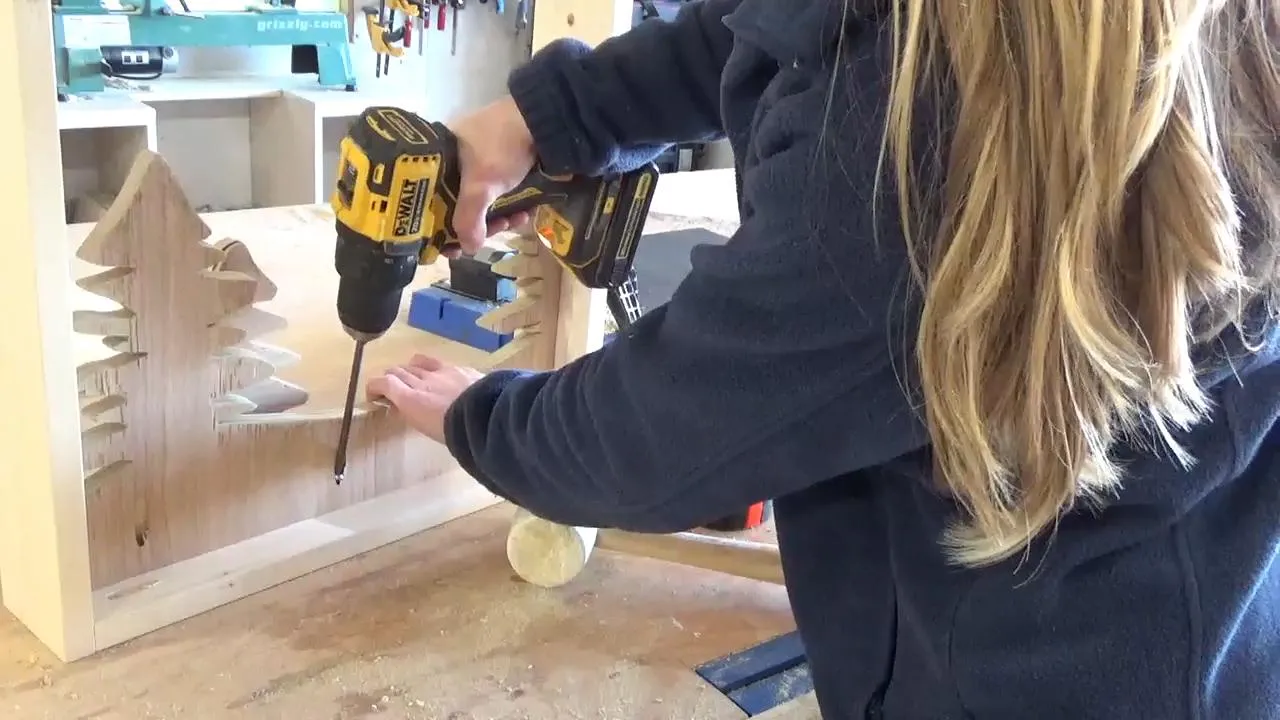
8Attach Frame Top
Now install the frame top piece using 1 ¼” pocket hole screws.
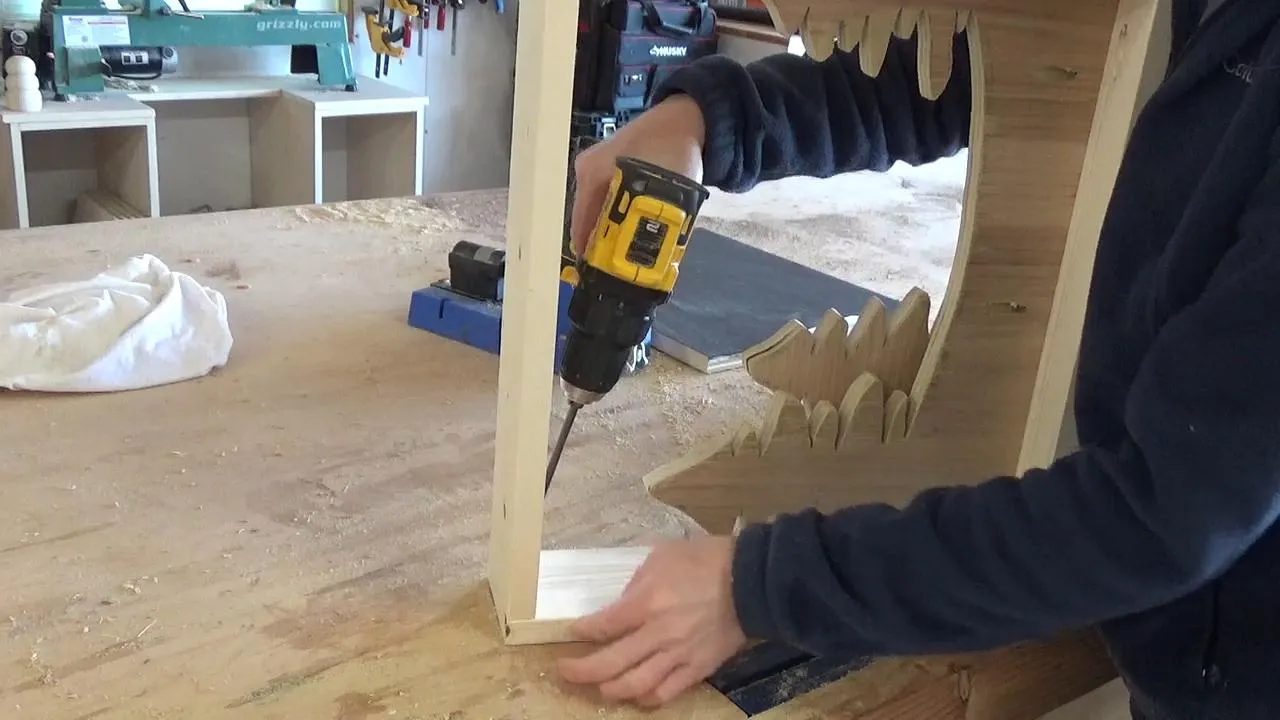
9Cut Out Cubby for Battery Packs
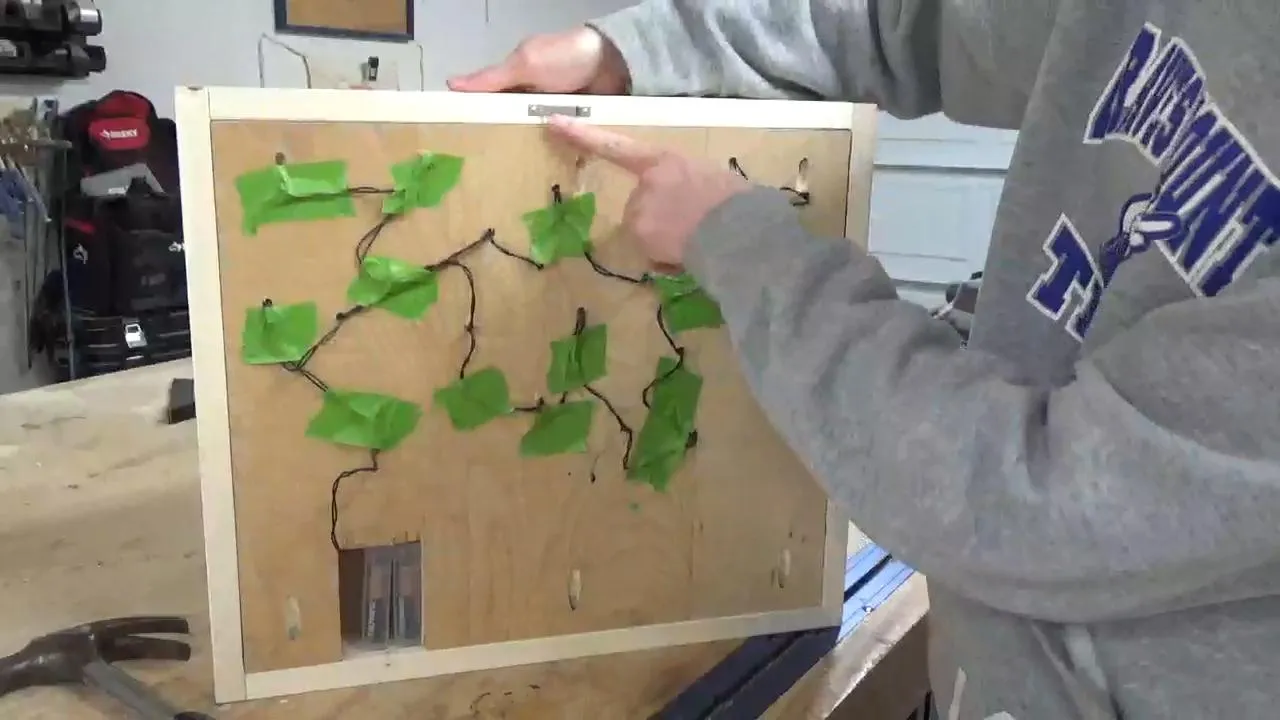
For this project, I used 2 battery powered light sets with 20 lights each. Once I had my lights in the project, I needed somewhere to put the battery packs. So I cut out a little hole in the back drop piece so that it would be hidden behind the big tree to place my battery packs inside. Make sure you cut a hole large enough for your particular battery packs.
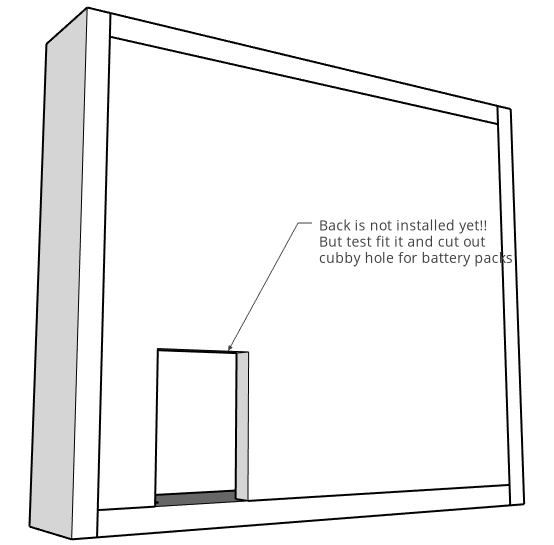
10Install Lights
Using some painters tape, line the scene with one battery powered light set. You can use the painters tape to keep the wires in place. Make sure the battery pack reaches to the back cubby.
11Install Backdrop
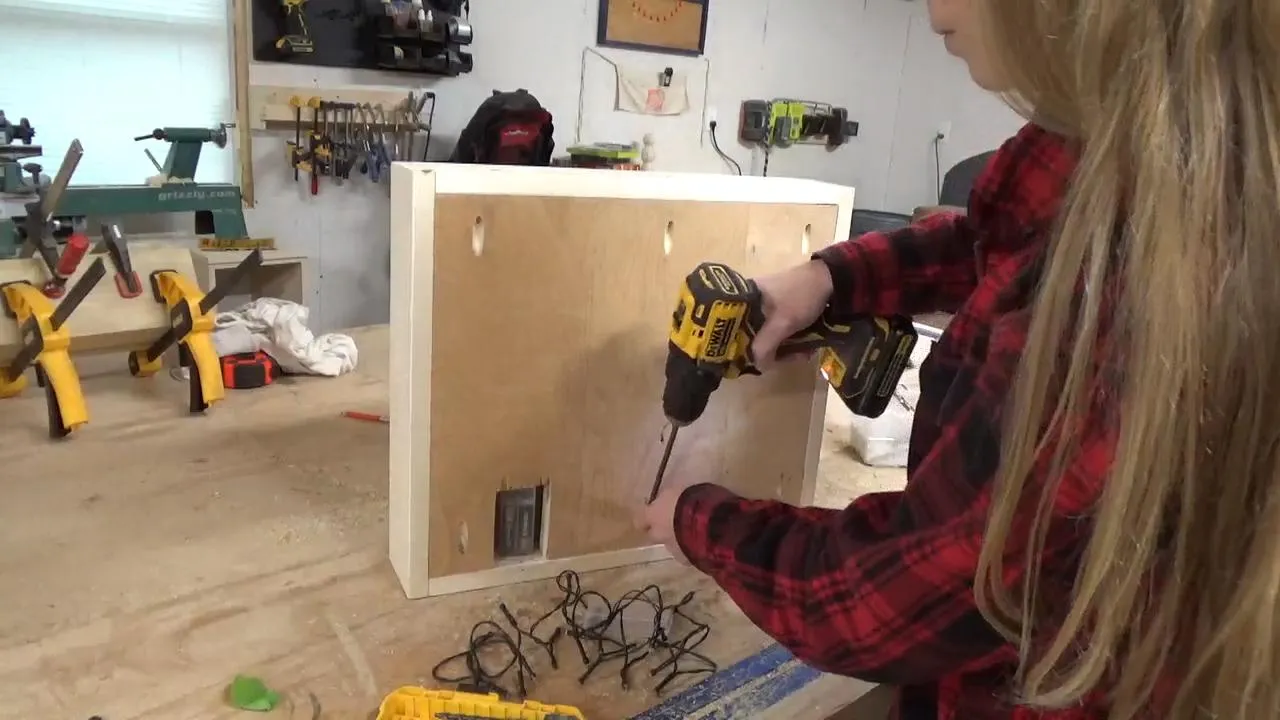
Drill 3/4" pocket holes on the edges of the back drop piece and install like shown using 1 1/4" pocket hole screws making sure the battery pack fits into the cubby.
12Add Stars
Using a drill bit SLIGHTLY larger than your battery lights, drill "stars" into the back drop and place the lights through the holes from the back side. Secure wires in place with staples OR painters tape. Make sure the battery pack reaches to sit into the cubby hole.
13Add Hanging Hardware
This piece can be hung on the wall with a sawtooth hanger like shown, or can simply set on a console table, or shelf. Simply pull the battery packs out of the cubby, flip the switches, and set it back in place. Check out the video in the extras tab for more details.
Tags
- Holiday
- Intermediate
Reviews & builds
No reviews yet
Sign in to review this plan or share your build.
No reviews yet. Be the first to build this.